https://play.google.com/store/apps/details?id=com.beshevgames.skorost
Drive. Measure. Diagnose. Everything your car has to tell you, in one app.
We’re excited to introduce Skorost, our new automotive application for Android, developed by BeshevGames.
Whether you’re a car enthusiast who loves analyzing vehicle performance, a driver who wants a reliable GPS speedometer, or someone who enjoys understanding what’s happening under the hood, Skorost brings a comprehensive set of automotive tools directly to your smartphone.
Instead of installing separate applications for GPS speed measurements, acceleration testing, OBD2 diagnostics, vehicle maintenance records, and trip tracking, Skorost combines them into one modern, customizable interface.
And you don’t need expensive equipment to get started. Many features work using your phone’s built-in GPS receiver, while vehicle diagnostics require a compatible OBD2 adapter.
GPS Speedometer – More Than Just Your Current Speed
<escape>[Insert GPS Speedometer screenshot here]</escape>
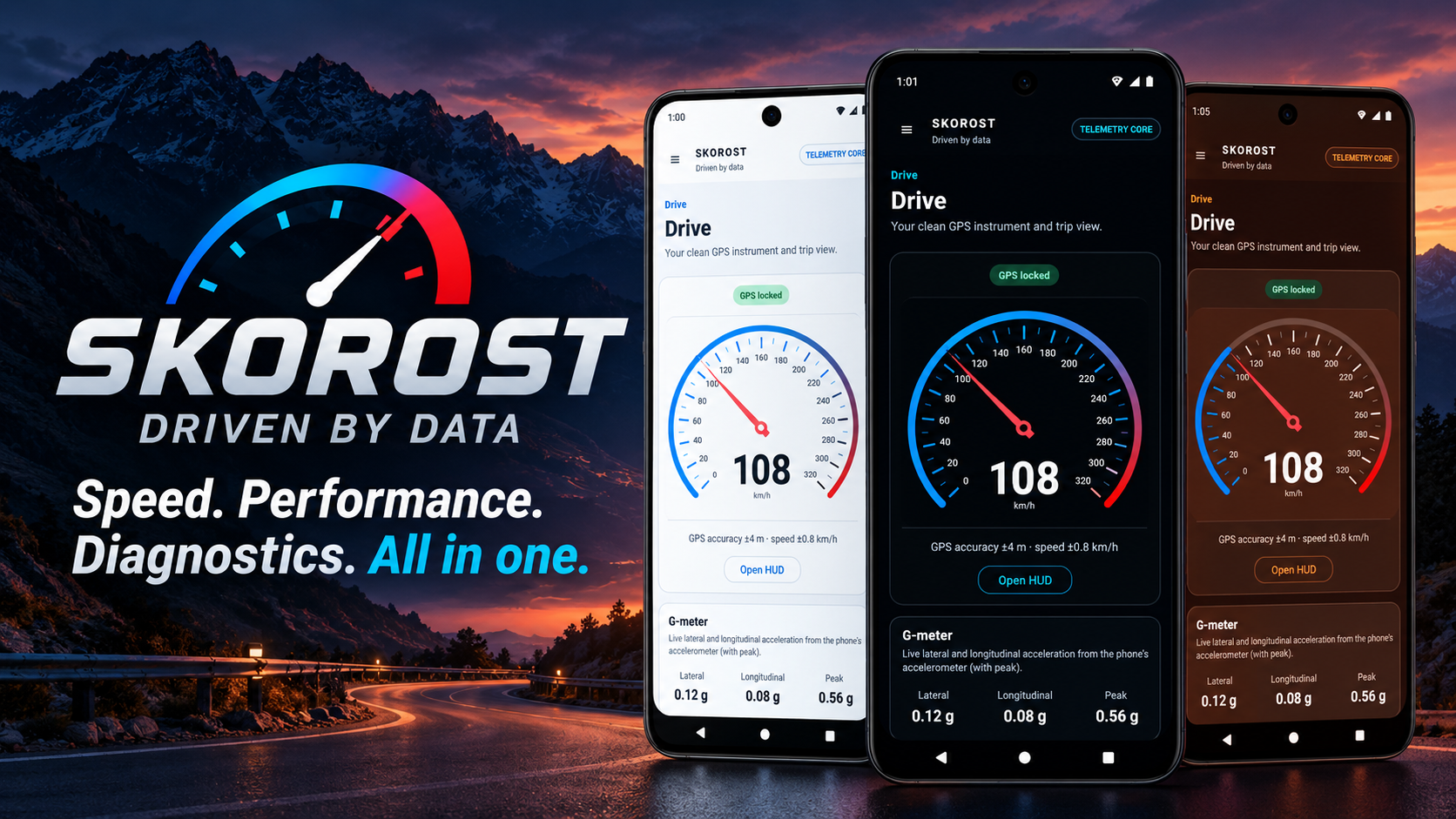
At the heart of Skorost is a customizable GPS speedometer, designed to display useful driving information clearly and conveniently.
Using your smartphone’s GNSS receiver, Skorost can display your current speed independently of your vehicle’s dashboard instruments.
The GPS dashboard includes:
- Real-time GPS speed: Monitor your speed in a clean, readable interface.
- Trip statistics: Track distance, elapsed time, average speed, and maximum speed.
- GPS accuracy information: Understand the quality of the current positioning data.
- G-force monitoring: View acceleration forces while driving.
- Live graphs: Follow changes in speed and G-force over time.
- Multiple layouts: Customize the size and appearance of your speedometer.
- HUD mode: Display a dedicated speed interface suitable for a head-up display setup.
Whether you’re driving a car, riding a motorcycle, or simply curious about your GPS measurements, Skorost provides much more information than a conventional speedometer.
Performance Testing – Measure Acceleration and Braking
<escape>[Insert Performance Testing screenshot here]</escape>
Ever wondered how quickly your car accelerates from 0 to 100 km/h?
With Skorost, you can measure acceleration, braking, and distance-based performance using your smartphone.
The Performance section includes automatic start and finish detection, allowing the application to record a measurement without requiring you to operate the screen during the run.
You can use predefined tests, such as 0–100 km/h, or configure your own measurement targets.
Among the available tools are:
- Acceleration timing between selected speeds.
- Distance-based performance measurements.
- Braking performance tests.
- Automatic timing detection.
- Saved results for later comparison.
- Performance data linked to your selected vehicle.
This can be useful for automotive enthusiasts who want to compare different vehicles, evaluate modifications, or simply explore how their vehicles perform.
Important: GPS performance measurements depend on signal quality, receiver capabilities, and environmental conditions. Skorost is not a substitute for professional calibrated timing equipment. Always perform performance tests in a safe, controlled environment where they are legally permitted.
Track Mode – Lap and Sector Timing
For drivers who enjoy track days, Skorost also includes a dedicated Track Mode.
Using GNSS positioning, you can configure start/finish and sector lines and record lap times automatically.
Rather than relying only on a stopwatch, Skorost associates recorded timing information with additional driving data, making it possible to review and compare your sessions afterward.
Track features include:
- Automatic lap timing.
- Configurable start/finish lines.
- Sector timing.
- Saved lap results.
- Session telemetry and comparison.
It’s a practical tool for enthusiasts who want to learn more about their driving on closed courses without investing immediately in dedicated track telemetry equipment.
OBD2 Scanner – Understand What Your Car Is Telling You
<escape>[Insert OBD2 Scanner screenshot here]</escape>
One of the most powerful parts of Skorost is its integrated OBD2 diagnostic scanner.
By connecting a compatible ELM327-style adapter to your vehicle, you can access supported diagnostic information directly from your Android smartphone.
Skorost supports compatible adapters using:
- Bluetooth Classic.
- Bluetooth Low Energy (BLE).
- Wi-Fi.
Once connected, you can access supported standard OBD-II information, including:
- Diagnostic Trouble Codes (DTCs): Read stored, pending, and permanent fault codes.
- Fault explanations: Explore descriptions, possible causes, and suggested diagnostic checks.
- Freeze-frame data: Review available operating conditions associated with diagnostic faults.
- Emissions readiness: Inspect supported readiness monitors.
- Vehicle identification: Access available VIN and ECU identification information.
- Diagnostic history: Save scans and review previous results.
For example, if your vehicle develops a check-engine warning, Skorost can help you investigate what the ECU has reported.
Instead of seeing only an unfamiliar code, you can review additional information and better understand which systems may require attention.
A fault code doesn’t automatically identify a failed component, but it can be a useful starting point for proper troubleshooting.
Enhanced Manufacturer-Specific Diagnostics
In addition to standard OBD-II functionality, Skorost includes carefully scoped, read-only enhanced diagnostic capabilities for selected verified vehicle profiles.
These include supported BMW/MINI CAN profiles and a selection of Volkswagen Group modules, including Volkswagen, Audi, Škoda, and SEAT/Cupra.
Enhanced diagnostic coverage depends on the exact vehicle, ECU, adapter, and supported communication protocol. Not every vehicle or control module is supported, and additional compatibility is being developed gradually.
The goal is to expand useful diagnostic capabilities while avoiding unsupported or potentially unsafe ECU operations.
You can learn more about supported connections and compatibility on the official Skorost website.
Live OBD2 Data – Your Own Digital Dashboard
<escape>[Insert Live OBD Gauges screenshot here]</escape>
Skorost doesn’t stop at reading diagnostic codes.
With a connected OBD2 adapter, the application can also display supported live vehicle parameters in a customizable dashboard.
Depending on your vehicle, available measurements may include:
- Engine RPM.
- Vehicle speed.
- Coolant temperature.
- Boost pressure.
- Throttle position.
- Engine load.
- Additional supported ECU sensor values.
You can choose which gauges to display and organize the information that matters most to you.
This can be particularly useful when observing engine behavior, checking operating temperatures, or monitoring supported sensor readings during troubleshooting.
Available parameters depend on what the vehicle actually reports. Skorost does not assume that every sensor is available on every vehicle.
GNSS Diagnostics – Take a Closer Look at Your GPS Receiver
<escape>[Insert GNSS Satellite View screenshot here]</escape>
Most applications simply tell you whether GPS is available.
Skorost goes further by providing a dedicated GNSS Diagnostics interface.
You can examine information about the satellites detected by your device, including their signal strength, position in the sky, and whether they are being used to calculate your location.
The satellite view supports information from major navigation constellations, including:
- GPS.
- Galileo.
- GLONASS.
- BeiDou.
This is especially interesting for technology enthusiasts, but also useful when investigating GPS accuracy or comparing reception conditions in different locations.
Sessions – Save and Analyze Your Driving Data
A good measurement becomes even more useful when you can review it later.
Skorost allows you to save different types of sessions, including normal driving, performance tests, and track activities.
Depending on the recorded data, saved sessions can include:
- Travel distance and elapsed time.
- Average and maximum speed.
- Speed graphs.
- G-force measurements.
- Altitude information.
- Recorded GPS routes.
- Vehicle information associated with the session.
For sessions with recorded location data, you can review the route on a map and explore how measurements changed throughout the journey.
Supported telemetry can also be exported in GPX and CSV formats, making it possible to analyze recordings in other applications, spreadsheets, or mapping tools.
Garage – Keep Your Vehicles Organized
<escape>[Insert Garage screenshot here]</escape>
Skorost isn’t only about what happens while you’re driving.
The integrated Garage section helps you organize information about your vehicles, keeping useful ownership and maintenance records together.
You can create profiles for multiple vehicles, add their photos and details, and associate driving sessions or diagnostic results with the correct car or motorcycle.
Garage features include:
- Vehicle profiles and photos.
- Maintenance and service history.
- Service reminders.
- Expense tracking.
- Vehicle notes.
- Vehicle setup information.
- Saved diagnostic scans.
- Backup and restore functionality.
Whether you own one vehicle or several, the Garage offers a convenient place to keep track of important information over time.
Customize Skorost to Match Your Style
We believe automotive software should be functional, but that doesn’t mean it has to look boring.
Skorost includes a collection of automotive-inspired themes, carefully designed instrument panels, and configurable interface elements.
Free themes include Track Dark, AMOLED Black, and Daylight, while Premium introduces additional designs such as Midnight Blue, Racing Green, Executive Gold, Miami Nights, and more.
Supported instrument colors can also be customized, giving you additional control over the dashboard’s appearance.
Whether you prefer a discreet, dark cockpit-style interface or something more colorful, Skorost can adapt to your preferences.
Privacy and Control Over Your Data
Vehicle information, driving routes, and diagnostic history can contain sensitive personal data.
Skorost takes a local-first approach to this information.
Recorded sessions, precise routes, vehicle details, Garage notes, and diagnostic history are primarily stored on your device rather than automatically uploaded to a BeshevGames cloud account.
The app also does not add these sensitive driving and vehicle records to its own Firebase analytics events.
Some third-party services, such as advertising, crash reporting, analytics, and mapping components, have their own data-handling requirements, which are explained in the application’s privacy policy.
Our aim is to give users useful automotive tools without requiring an unnecessary cloud account for their personal vehicle records.
Free to Download, with Optional Premium
Skorost is free to download on Google Play, with optional Premium access.
The free version provides a broad collection of GPS, performance, diagnostic, and vehicle-management tools.
For users who want to support development and customize their experience further, Premium offers:
- Removal of regular advertisements.
- Access to additional Premium themes.
- Additional appearance customization features.
Premium is available as a one-time lifetime purchase.
Alternatively, where available, you can watch an optional rewarded advertisement to unlock 24 hours of Premium access.
We want the application to remain useful without forcing users into a recurring subscription just to enjoy its core functionality.
Download Skorost for Android
Whether you want to measure your vehicle’s acceleration, explore GPS satellite information, diagnose check-engine warnings, monitor live ECU readings, or organize vehicle maintenance records, Skorost brings these tools together in one application.
🚗 Download Skorost: GPS & OBD2 Scanner on Google Play
You can also visit the official Skorost website to explore the available features, compatibility information, guides, and support resources.
Skorost is developed by BeshevGames, an independent app and game developer based in Bulgaria.
We’re continuing to work on improvements, compatibility enhancements, and new functionality.
As with all our applications, user feedback is an important part of that process.
If you enjoy using Skorost, consider leaving a review on Google Play. If you encounter a problem or have an idea for a future improvement, we’d love to hear from you.
Thank you for supporting independent app development, and happy driving!
Disclaimer: Skorost is an informational and diagnostic tool. Vehicle compatibility, available OBD-II parameters, and GPS measurement accuracy vary by device, vehicle, adapter, and conditions. Always prioritize road safety and follow local traffic laws.
